Register Your top99bet Account
Registration takes under a minute and opens the full lobby — Sweet Bonanza, Live Baccarat, Aviator and our sportsbook markets in one tab. Fill in a handful of...
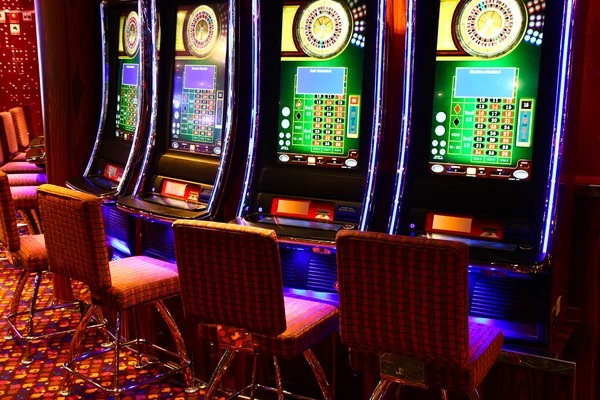
What the Sign-Up Flow Looks Like
You'll start with a username, password and active phone number — that's the core of the form. We send a short code, you confirm, and the account is live. From there, head to the cashier chip row to link DANA, OVO, GoPay or QRIS as your preferred rail. Your details stay tied to one profile, so the sportsbook ticket you open and
the slot room you browse share the same balance and login.
Accepted Payment Context at Registration
During sign-up you can preview which rails are ready for your region. We keep the e-wallet line-up matched to how Indonesia actually pays, plus bank transfer...
DANA
Link DANA at the cashier right after your account confirms — balance updates land on your profile in seconds and carry across slot rooms, live tables and the sportsbook ticket.
OVO
OVO connects through the same wallet drawer you'll see after registration. Confirm once and the rail stays attached to your account for return visits without re-entering details.
GoPay
GoPay sits next to DANA in the chip row above the lobby. New accounts can attach it from the first session, then move between casino and sportsbook without switching apps.
QRIS
QRIS scans straight from the cashier after registration. Open your banking app, point the camera, and the amount lands on the top99bet account you just created.
ShopeePay
ShopeePay is available for accounts in supported regions. Add it once during onboarding or later from your profile — the rail behaves the same way as the other e-wallets.
BCA
BCA bank transfer suits visitors who prefer bank rails over wallets. After registration, pick BCA in the cashier and we'll show the reference details tied to your new account.
Mandiri
Mandiri transfers route through the same cashier panel. Choose it during your first session or anytime later, and the deposit reference matches the account you just registered.
Why Your Details Are Safe Here
Encrypted form
The registration form posts over an encrypted channel, so the username, password and phone number you enter aren't readable in transit between your device and our account servers.
Phone confirmation
Every new account confirms a phone number before going live. This keeps one person to one profile and gives you a reliable rail for recovery codes later on.
One profile rule
We hold one account per visitor, which keeps balances clean and prevents duplicate registrations from clouding the cashier. Sign up once and the same login carries everywhere.
Stored payment links
DANA, OVO, GoPay and QRIS links sit behind your login, not in plain view. Re-deposits don't need re-entry, and the rail can be unlinked from your profile anytime.
Session controls
You stay signed in only on devices you choose. From your profile you can end other sessions, so a registration done on mobile doesn't leave a desktop logged in by accident.
Clear field labels
Each field on the form says what it wants and why — phone for codes, email for receipts. No hidden checkboxes, no pre-ticked extras stapled onto your registration.
Registration Consistency Across Devices
| Mobile browser | The sign-up form renders the same on Android and iOS browsers — same fields, same order, same verification step, so a registration started on the train finishes on the couch. |
|---|---|
| Desktop browser | On desktop the form widens but the flow is identical. You'll see the chip row of payment rails after confirmation, matching what mobile shows above the lobby. |
| Tablet view | Tablet sessions inherit the desktop layout with touch targets sized for fingers. Registration completes in the same number of steps you'd take on a phone. |
| Returning login | Once your account exists, the login button replaces the register button. Same credentials, same phone-tied profile, no second registration needed when you switch devices. |
| Cashier linking | Payment linking happens after registration in every view. The DANA, OVO, GoPay and QRIS drawer behaves the same whether you opened the lobby on mobile or desktop. |
| Profile edits | Updating your phone or email post-registration uses the same profile panel across devices, so changes you make on mobile show instantly when you open desktop. |
| Verification codes | SMS codes arrive to the number you registered with, no matter which device started the request. Enter the code, the session resumes, and the lobby loads as expected. |